Integration guide - Teamtailor
Step 1
Generate API-key
Navigate to your Teamtailor account and log in.
Go to 'Settings' 'Integrations' 'API Keys'
Click the 'NEW API KEY'-button
Give the trigger an appropriate name, eg. Hubert
Set the API Scope to Admin
Check both checkboxes, Read and Write
Copy the key in the API Key field, e.g. $Up3RS3Cr€t4P1_k3Y
.png)
Step 2
Set up trigger in Teamtailor
Navigate to your Teamtailor account and log in.
Go to 'Jobs' in the header menu and select the job you want to add the trigger to
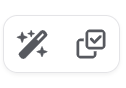
Click the Magic Wand
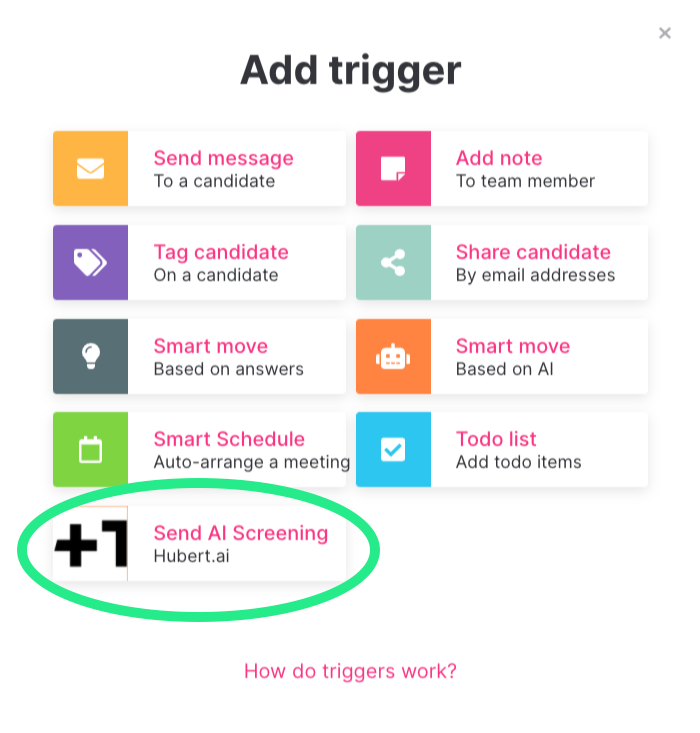
Click 'Add trigger' in the stage where you'd like to input the trigger
Select Send AI Screening
Step 3
Select trigger settings
- Navigate to your Teamtailor account and log in
- Click 'Settings' ‣ 'Integration' ‣ 'API-Keys'
- Click on the '+ NEW API KEY' - button to generate a new API key